 Roborank
H1 vs Title Tag: Does It Matter for SEO?
No, the H1 doesn’t need to match the title tag for SEO. The two can differ in wording, length, and punctuation. They do need to agree on topic and intent, and that’s where most sites get into trouble.
Google builds title links from more than the title tag
Google Search Central’s Influencing Title Links in Google Search explains that Google generates “title links” in results and uses the <title> element as its primary source. It can pull from other places when the title is weak or mismatched, including the main on-page heading (the <h1>). So the H1 works as a fallback, and a contradictory one gives Google a reason to swap your headline for it.
Alignment means the same topic, intent, and language
Community consensus on Webmasters Stack Exchange, along with Moz and Semrush guidance, lands in the same place: share the important terms and meaning, skip the character-for-character copy. In practice, “aligned” means:
- The same primary topic
- The same search intent (a guide stays a guide, a product stays a product)
- The same language and writing system
- No claim in the title that the page body doesn’t deliver
Compare these two:
- Title: H1 vs Title Tag: Do They Need to Match? | Roborank
- H1: Does the H1 tag need to match the title tag?
Different text, same promise. Now picture a title promising “Free SEO Audit Checklist” over an H1 reading “Our Services.” That page is likely to get its title link rewritten.
Use one H1 and write each headline for its own job
The <title> is the SERP and browser-tab headline, so write it for relevance and clicks. The <h1> is the visible heading that sets expectations and anchors the heading hierarchy of H2s and H3s below it. Keep one clear H1 per page.
Differences are fine when the title adds a brand modifier, trims for length, or sounds punchier than the on-page heading. Move them closer together when the title is generic across templates (“Home”, “Product Page”), when it’s stuffed with keywords, or when the language doesn’t match the page.
Template problems cause most real mismatches
Audit these first:
- Page builders that output multiple H1s
- A logo or nav wrapped in an H1 instead of the content heading
- Boilerplate title patterns repeated across a whole section
- Headings injected by JavaScript that never appear in the rendered HTML Google sees
- WordPress themes where the post title field feeds the H1 but an SEO plugin overrides the
<title>
A five-step check for every page
- Decide the page’s primary intent.
- Draft the H1 as the promise.
- Write the title tag for the SERP, adding a modifier if useful.
- Confirm both describe the same thing.
- Verify one correct H1 exists in the rendered HTML.
The self-test: does the first visible heading confirm what the search result promised?
Verify in Search Console and the live SERP
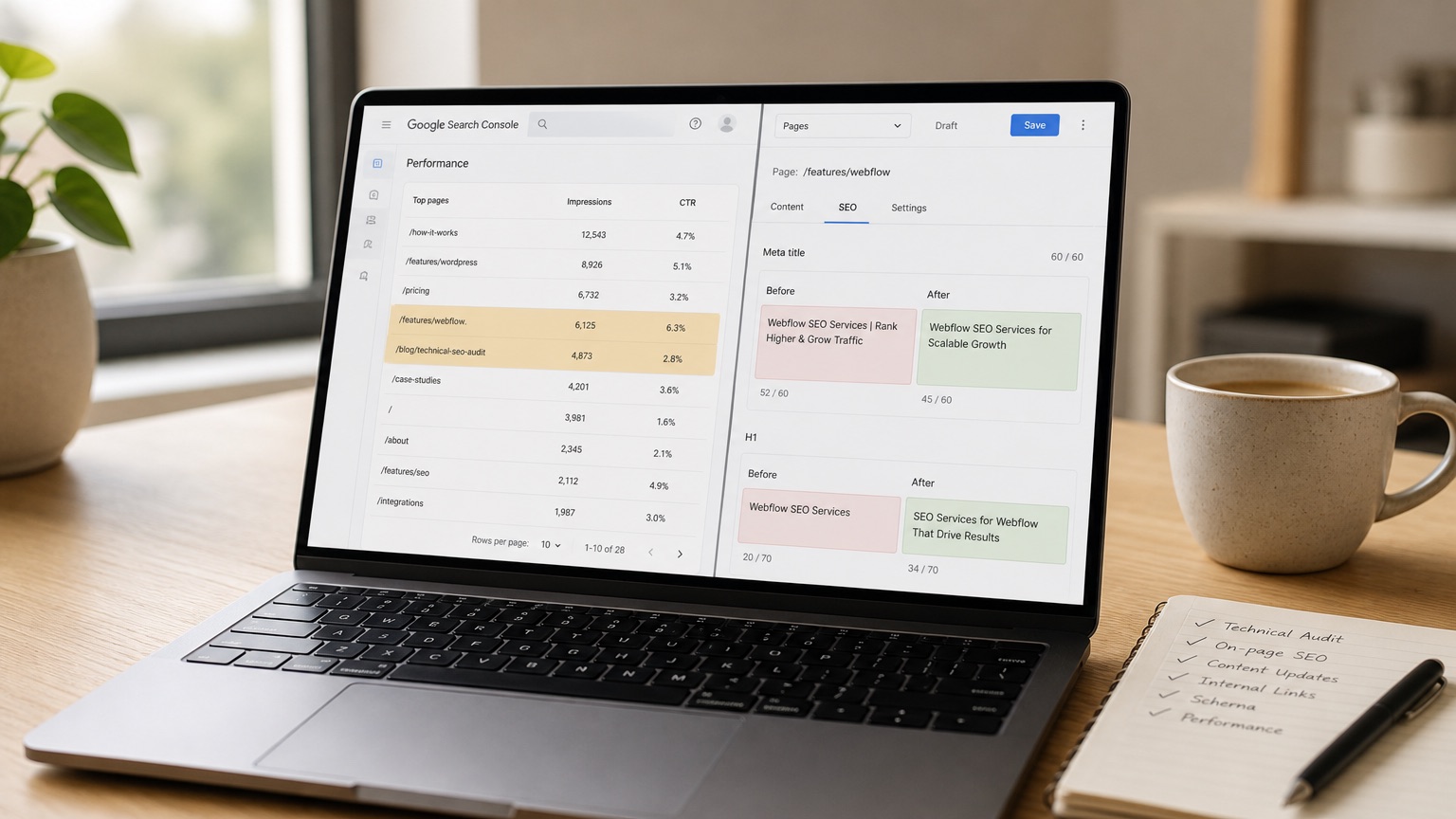
Pull a sample of URLs from Google Search Console and look for high impressions with low CTR. Search for each, compare the displayed headline against your <title> and <h1>, and note any rewrites. Fix the mismatch, then recheck over comparable time windows.
Doing this page by page gets tedious. Roborank’s Quick Wins workflow surfaces high-impression, low-CTR pages, drafts replacement metadata, and writes approved changes back to WordPress, Webflow, or GitHub-based sites in bulk. A before-and-after changelog shows what moved. That’s useful when a template, not a single page, is the cause.
The rule of thumb
Match meaning, not characters. Keep one meaningful H1, write a title that’s aligned but tuned for the SERP, and audit templates for duplicate, missing, or JavaScript-dependent headings. Do that, and Google has little reason to rewrite your title link.
Let Roborank handle your WordPress SEO on autopilot.
Get Early Access